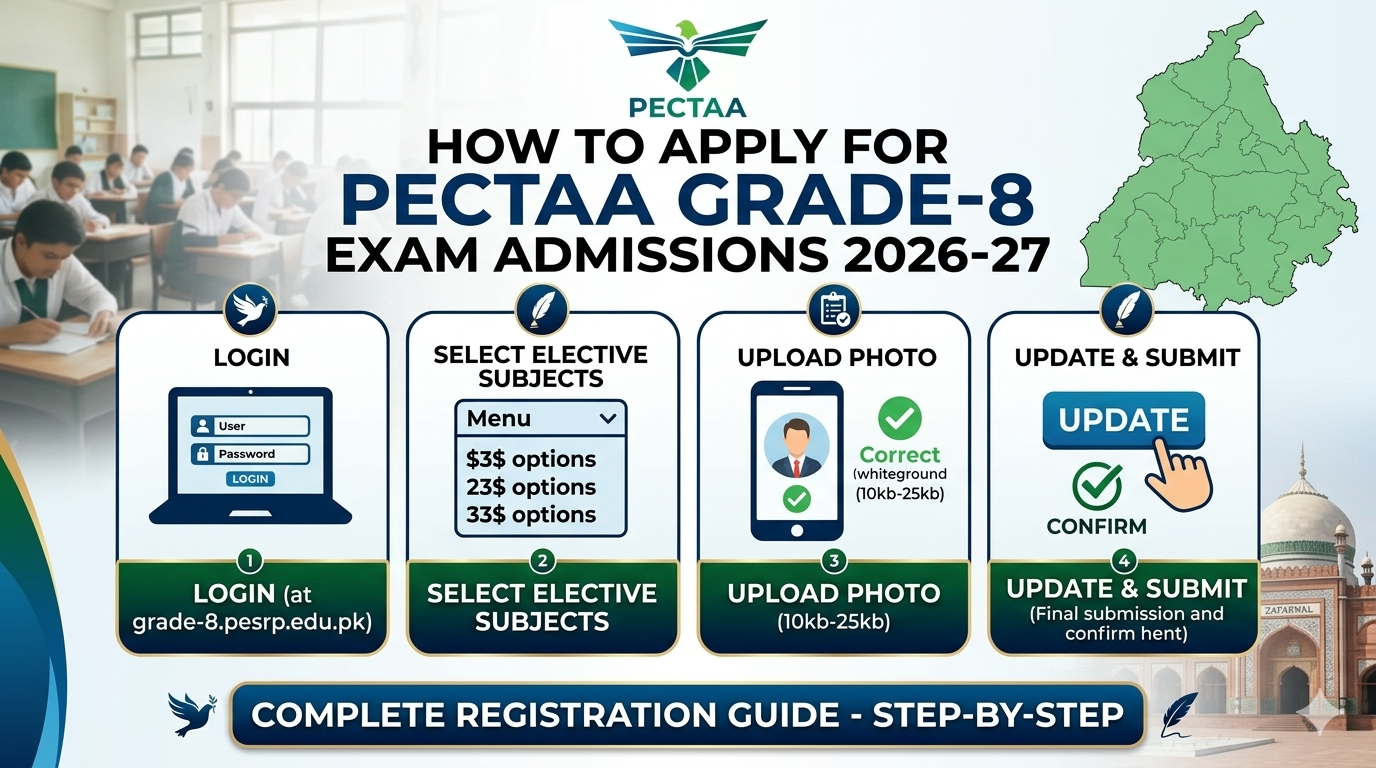
The registration process for the PECTAA Grade 8 Exam 2026-27 has officially begun. All school heads and relevant officers are requested to complete the student registration process promptly following the guidelines below.
Join Our Official WhatsApp Channel!
گیس پیپرز، امتحانی سکیمز اور تعلیمی اپڈیٹس سب سے پہلے اپنے واٹس ایپ پر حاصل کریں۔
Step-by-Step Application Procedure
- Login: Access the official school portal at https://grade-8.pesrp.edu.pk/login.php. Use your school’s EMIS code as both the username and password.
- Manage Students: After logging in, click on “Manage
- ” and select “Manage Students” to view the list of all students in your school.
- Subject Selection: Click the “Edit” option next to each student’s name to select their three (3) elective subjects.
- Photo Upload: Upload the student’s photograph.
- Background: The photo background must be white.
- Size: The image file size must be between a minimum of 10kb and a maximum of 25kb.
- Final Step: Once the photo is uploaded, set the status to “Active” and click the “Update” button to save the data.
Important Notes for School Heads
- Final Submission: Before performing the “Final Submission,” ensure that all student information has been entered correctly.
- Timely Completion: All relevant officers and heads of institutions are expected to complete the registration within the specified timeline.
We urge all teachers to share this information with their colleagues to ensure the registration process is completed on time and to avoid any potential issues.